
Updated July 29, 2026. This commercial planning guide is not legal, tax, payment, or financing advice. Requirements vary by product, location, program, and jurisdiction.
Published transaction economics: ID + face verification is $1.00 per attempted verification. Fingerprint verification is $0.50 per successful match, with no fee on failed fingerprint scans. Card processing is provided by Lifted Payments at 3.99%; a separate payments application and approval are required before go-live.
See the complete operation.
Inspect every demo page, then request delivery scope and financing options for your route.
Define “connected” in operating terms
A Wi-Fi icon does not make a machine operationally smart. Ask how often status changes arrive, what happens during a network interruption, whether the machine can continue safely, and how the platform distinguishes stale data from a current state.
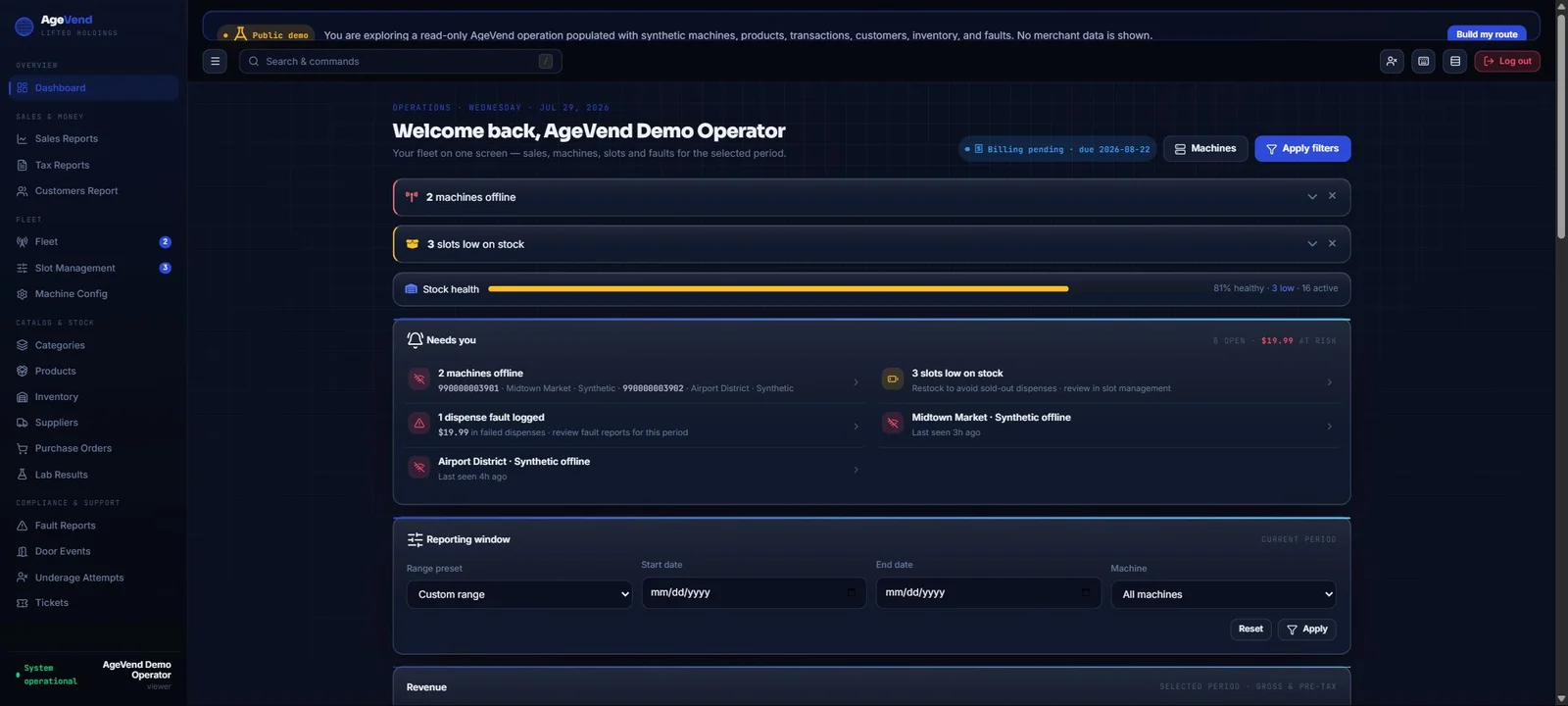
Review the exact machine identifier, last contact, status, inventory, orders, and faults visible to the operator. Time zones and timestamps should be clear enough to support a customer call or route decision.
Make inventory actionable
Useful inventory software connects the product catalog to machine-specific slots and counts. It should support receiving, loading, adjustment, low-stock review, and reconciliation without losing the reason behind a change.
Route planning improves when reorder points reflect product velocity and travel time. The platform should help the operator decide what to bring, not merely show a total count after arriving.
Understand transaction state
Unattended transactions can include a customer selection, verification step, authorization, payment result, delivery attempt, tax amount, and support outcome. A single “sale” label can hide important exceptions.
Evaluate how orders, payments, delivery failures, refunds, and disputed transactions are linked. Sensitive payment and verification information should be limited to the people and systems that need it. The connected-vending go-live acceptance test helps the route document those handoffs before customer launch.
Control remote changes
Products, prices, campaign screens, machine settings, user access, and support actions can change the customer experience. Remote control should use roles, clear confirmation, logging, and safeguards appropriate to the action.
The public AgeVend demo is intentionally read-only. Production operators receive tenant-scoped access appropriate to their responsibilities; the exact deployment and permission model should be confirmed during implementation.
Treat faults and tickets as one loop
A fault becomes useful when it has context, priority, owner, note, and resolution. Connect machine observations to a support workflow that can distinguish a customer issue, stock issue, payment issue, delivery issue, or connectivity issue.
Review how alerts are routed and escalated. Too many unprioritized notifications can be as ineffective as no alerts at all.
Inspect before you buy
AgeVend provides a public operator demo with synthetic data and 19 sidebar destinations. Use it to inspect dashboard, machines, products, inventory, orders, customers, tax, faults, campaigns, tickets, and team surfaces.
Questions buyers ask
What should smart vending software track?
At minimum: machine state, products, machine inventory, orders, transaction outcomes, faults, customer support context, and access changes.
Is the AgeVend demo editable?
No. The public tenant is read-only and uses synthetic data.
Does AgeVend expose machine and fault status?
Yes. Machine and fault surfaces are part of the operator platform.
Can software replace route procedures?
No. Operators still need receiving, restocking, reconciliation, service, customer-support, security, and access-control procedures.
Ready to evaluate the AV-1?
Start with the published $9,500 base price, a real connected-machine screen, the read-only operator demo, and a written route quote covering the complete deployment.