
Updated July 29, 2026. This commercial planning guide is not legal, tax, payment, or financing advice. Requirements vary by product, location, program, and jurisdiction.
Published transaction economics: ID + face verification is $1.00 per attempted verification. Fingerprint verification is $0.50 per successful match, with no fee on failed fingerprint scans. Card processing is provided by Lifted Payments at 3.99%; a separate payments application and approval are required before go-live.
See the complete operation.
Inspect every demo page, then request delivery scope and financing options for your route.
From campaign screen to storefront
A connected machine can begin with campaign content that invites the customer to tap and shop. The storefront then presents the products currently configured for that machine. Product availability, pricing, imagery, and supporting information need to match the physical planogram.
Campaign content is an operating surface, not decoration. Define who may publish it, how changes are reviewed, and how the machine behaves if content or connectivity is unavailable.
Browse and build the cart
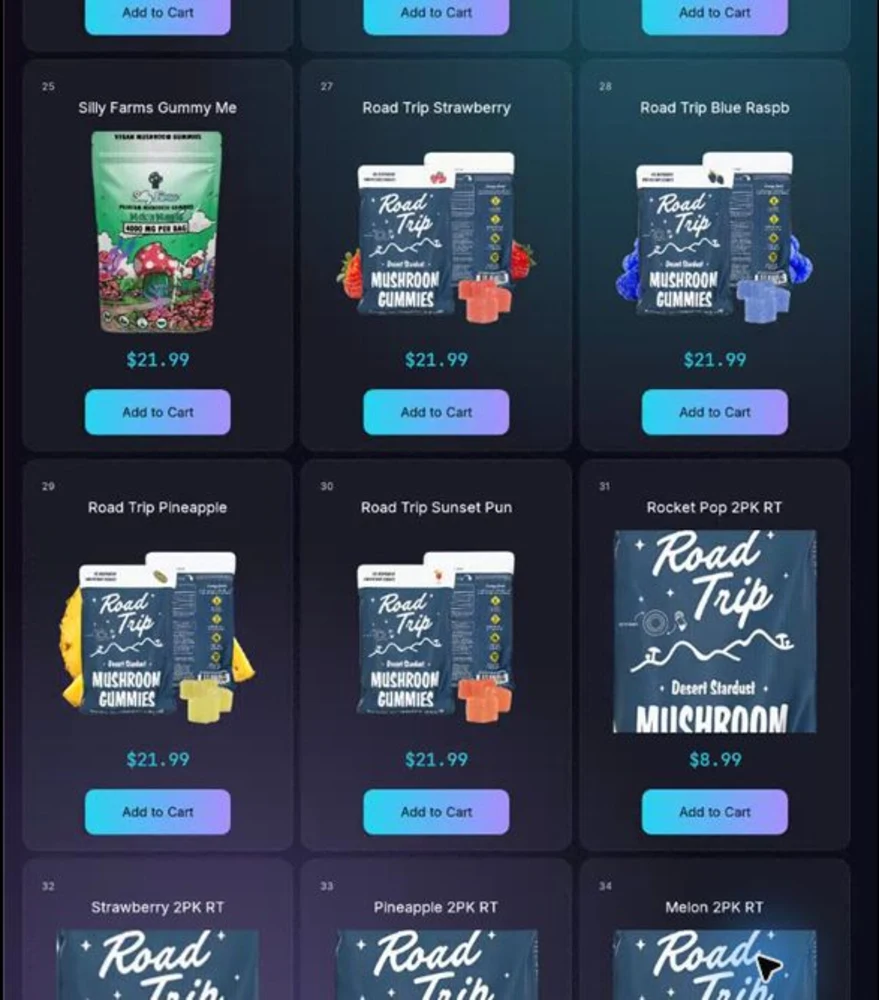
The live AgeVend screen shows product cards with images, names, prices, 21+ merchandising cues, and add-to-cart controls. The header exposes support, cart, lab results, and loyalty actions without requiring a customer to leave the kiosk.
Good unattended design keeps the next action visible, uses readable touch targets, and avoids trapping the customer in a dead end. Product tiles should disappear or change state when the physical item is unavailable.
Complete the configured eligibility step
The operator’s configured flow guides the customer through the checks required before the restricted transaction proceeds. The exact method, sequence, and data handling must be matched to the product, location, program, and jurisdiction.
AgeVend does not claim that one configuration makes every placement compliant. Review the intended customer journey with qualified advisers and the relevant authorities.
Pay, deliver, and explain exceptions
A successful path coordinates eligibility, payment authorization, product delivery, stock decrement, and the order record. The exception paths matter just as much: failed verification, declined payment, unavailable product, delivery failure, network loss, refund, or customer dispute.
The kiosk should tell the customer what happened and how to get help. The operator platform should preserve enough context to investigate without exposing unnecessary sensitive data.
Connect the screen to route operations
Every product and price shown at the kiosk should connect to the catalog and inventory record behind it. Sales and machine changes reach the operator dashboard, where the route can review stock, orders, tax, customers, faults, campaigns, and support.
The public operator demo completes the story with synthetic data and read-only permissions.
Use real proof in the buying process
Ask every vendor to distinguish a concept render, a presentation-enhanced source photograph, a recorded customer screen, and a live operating system. AgeVend publishes each category honestly: a labeled experience visualization, an installed-machine image enhanced from a real source photo with the hardware preserved, and a real connected-screen capture.
Questions buyers ask
Is the kiosk image real?
Yes. It was captured from a connected AgeVend machine through an audited, read-only support path on July 29, 2026.
Does the screenshot contain customer information?
No. The published screen shows the storefront and machine identifier, not customer records.
Can buyers use the kiosk online?
The public site provides the screen capture and journey explanation. The separate operator demo is interactive and read-only.
What is synthetic on the site?
The public operator demo uses synthetic machines and transactions. The kiosk capture is real, the installed-machine image is enhanced from a real source photograph with the hardware preserved, and the hero lifestyle scene is labeled as a visualization.
Ready to evaluate the AV-1?
Start with the published $9,500 base price, a real connected-machine screen, the read-only operator demo, and a written route quote covering the complete deployment.